
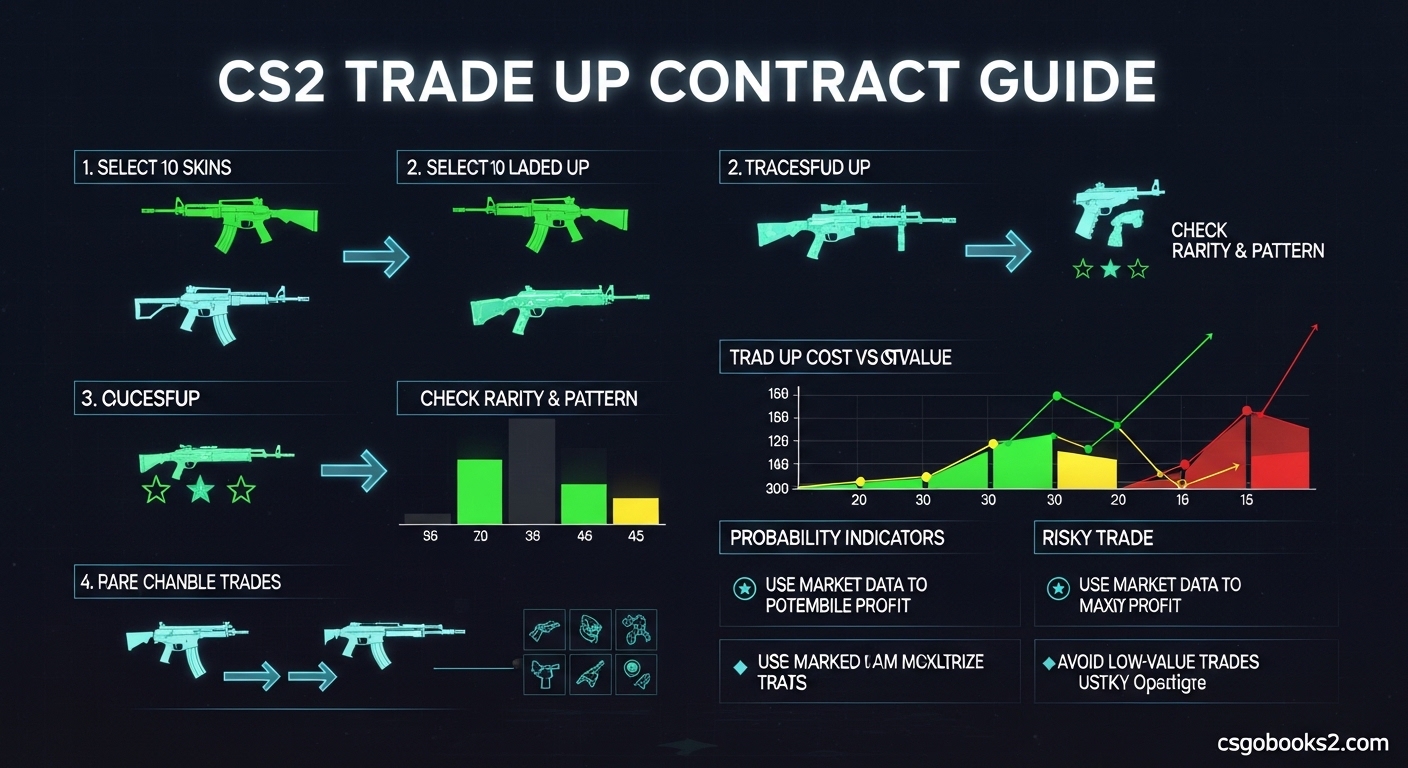
If you’re sitting on a pile of low-value CS2 skins wondering if there’s a way to turn them into something better, you’ve come to the right place. This CS2 trade up contract guide will walk you through everything you need to know about combining your skins for a shot at higher-tier items.
Trade up contracts have been a core feature of Counter-Strike since the CS:GO days, and they remain one of the most exciting ways to potentially upgrade your inventory. However, the system changed significantly with the October 2025 CS2 update, and understanding the new mechanics is crucial for anyone looking to make profitable trades.
After testing hundreds of trade ups and analyzing community data from 2026, I’ll break down exactly how the system works, what your realistic chances are, and how to avoid the costly mistakes that most beginners make.
What Are CS2 Trade Up Contracts?
CS2 trade up contracts are an inventory feature that lets you exchange 10 weapon skins of the same rarity and collection for one skin from the next highest rarity tier. Think of it as gambling with your skins – you’re trading certainty for possibility.
When you activate a trade up contract, you’re essentially betting that the value of the output skin will be higher than the combined value of your 10 input skins. Sometimes this pays off beautifully, and other times you’ll end up with a skin worth significantly less than what you put in.
The system was designed to give players a way to consolidate unwanted or duplicate skins while maintaining the excitement of potentially receiving something valuable. It’s not meant to be a reliable profit generator, though some players have developed strategies to improve their odds.
What makes trade ups particularly interesting is the float value system – the wear condition of your input skins directly affects the wear condition of your output skin. This means you can potentially control the quality of your result to some degree, which we’ll cover in detail later.
CS2 Trade Up Contract Guide: How They Work
Understanding the mechanics behind trade up contracts is essential before you risk any skins. The system follows specific rules that determine what you can receive based on what you put in.
The core concept is rarity progression. CS2 skins are organized into rarity tiers from lowest to highest: Consumer Grade (white), Industrial Grade (light blue), Mil-Spec (blue), Restricted (purple), Classified (pink), Covert (red), and finally Rare Special Items (gold – knives and gloves).
When you perform a trade up, you always move exactly one tier up. Ten Mil-Spec skins from the same collection will give you one Restricted skin from that collection. Ten Restricted skins become one Classified skin, and ten Classified skins become one Covert skin. This progression is fixed and predictable.
What isn’t predictable is which specific skin you’ll receive. If a collection has five possible Classified skins, your trade up could result in any of them – each with an equal probability. This is where the risk comes in, as some outcomes are worth significantly more than others.
The collection you choose matters immensely. Some collections have valuable Covert skins while others have lackluster options. Experienced traders research collections thoroughly before committing skins to a trade up.
The Basic Rules Every Trader Must Know
Before you attempt your first trade up, memorize these non-negotiable rules. Breaking them means your trade up simply won’t work.
Rule 1: Exactly 10 skins required. No more, no less. You can’t use 9 skins and you can’t use 11. The system demands exactly 10 inputs for every trade up contract.
Rule 2: Same collection only. All 10 skins must come from the same collection. You can’t mix Dust Collection skins with Cobblestone Collection skins. The game will prevent you from selecting skins from different collections in the trade up interface.
Rule 3: Same rarity tier required. All input skins must be at the same rarity level. You can’t mix Restricted and Classified skins in a single trade up. They all need to be identical in rarity.
Rule 4: StatTrak consistency is mandatory. You cannot mix StatTrak and non-StatTrak skins. If even one of your 10 skins is StatTrak, all must be StatTrak. The same rule applies to souvenir skins – they must all be souvenir or none at all.
Rule 5: Souvenir skins have restrictions. Souvenir skins cannot be used in trade up contracts with non-souvenir skins, and souvenir trade ups have different possible outcomes than standard skin trade ups.
These rules are enforced by the game interface itself, which will gray out ineligible skins when you’re selecting inputs for your trade up contract. If you’re confused about why certain skins aren’t selectable, check against these rules first.
Understanding Float Values in Trade Up Contracts
Float values are what make CS2 trade up contracts genuinely complex. Every skin has a float value between 0.0 and 1.0 that determines its wear condition, and this value directly affects your trade up outcomes.
Wear conditions are tied to specific float ranges: Factory New (0.0-0.07), Minimal Wear (0.07-0.15), Field-Tested (0.15-0.38), Well-Worn (0.38-0.45), and Battle-Scarred (0.45-1.0). Lower float values mean better condition skins.
Here’s how float calculations work in trade ups: the output skin’s float is the average of your 10 input skins’ floats. If you use 10 skins with float values around 0.1, your output will likely be in Minimal Wear condition. If you use 10 Well-Worn skins with floats around 0.4, expect a Well-Worn or Battle-Scarred result.
The October 2025 CS2 update changed how float ranges are calculated. Previously, there was more predictability in the outcome range. Now, the calculation method has been modified, making it slightly harder to target specific wear conditions precisely.
Community testing in 2026 has shown that using skins with very similar float values gives the most predictable results. When your input floats are clustered closely together, the average is more reliable, and you’re more likely to get the wear condition you’re targeting.
For knife and glove trade ups, float values become incredibly important since the price difference between a Factory New knife and a Battle-Scarred version of the same knife can be hundreds of dollars. Serious traders calculate exact float combinations before attempting these high-stakes trade ups.
Step-by-Step Trade Up Contract Guide
Ready to try your first trade up? Follow this exact process to ensure you don’t make any costly mistakes.
Step 1: Open your CS2 inventory and navigate to the trade up contract section. You’ll find this option in the main inventory menu. It’s usually represented by a contract icon or labeled clearly.
Step 2: Select your first skin. Choose a skin from the collection and rarity tier you want to trade up. This will be your reference point for selecting the remaining 9 skins.
Step 3: Choose 9 more matching skins. The game will only show you skins that match the collection and rarity of your first selection. Verify that all 10 skins are from the same collection and have the same rarity.
Step 4: Check your StatTrak status. If your first skin is StatTrak, ensure all remaining selections are also StatTrak. Mixing StatTrak and non-StatTrak will prevent the trade up.
Step 5: Review the possible outcomes. The trade up interface will show you which skins you could potentially receive from this trade up. Take a moment to research their current market values.
Step 6: Consider your float values. Look at the wear conditions of your input skins. If you’re hoping for a Factory New result, make sure your inputs are all in good condition.
Step 7: Calculate your potential profit or loss. Add up the current market value of your 10 input skins. Compare this total to the value of the worst possible outcome and the best possible outcome.
Step 8: Confirm the trade up. Once you’ve accepted the risks and potential rewards, click the trade button. Watch the animation unfold and see what skin you receive!
Step 9: Assess your result. Did you profit, break even, or lose value? Record the outcome to learn from this trade up and improve your future decisions.
Remember, there’s no undo button for trade up contracts. Once you confirm, those 10 skins are gone forever, regardless of the outcome. Never trade up skins you aren’t willing to lose.
October 2026 CS2 Update: Major Trade Up Changes
The October 2025 CS2 update brought significant changes to trade up contracts that every trader needs to understand. If you’re following guides from before this update, some of the information may be outdated.
The most impactful change involves float outcome calculations. Valve modified the algorithm that determines the final float range of trade up results. This has made targeting specific wear conditions slightly less predictable than before.
Community testing in the months following the update has revealed that float spreads now behave differently. Previously, traders could rely on tighter outcome ranges when using inputs with similar float values. The new system has introduced slightly more variance, making precise float targeting more challenging.
Another notable change affects 2-skin trade up methods. This advanced technique, which involves using 5 pairs of identical skins to increase the probability of specific outcomes, was modified in the October update. The probability calculations have shifted, though the method remains viable for experienced traders.
The update also introduced new collection options for trade ups. Several newer CS2 collections were added to the trade up system, providing more opportunities for traders seeking specific outcomes. These collections have different skin pools and value propositions worth researching.
Perhaps most importantly, the October 2025 update changed the market dynamics around many popular trade up targets. Prices shifted as the community adjusted to the new float calculations, making some previously profitable trade ups less attractive while creating new opportunities elsewhere.
Always verify that any trade up information you’re following accounts for the October 2025 changes. Guides and calculators from before this date may give you inaccurate expectations about your trade up results.
Profitability and Risk Management
Let’s be honest about something important: trade up contracts are not a reliable way to make money in CS2. Community data from 2026 consistently shows that most trade ups result in a net loss.
For standard Covert trade ups, experienced traders report a profit success rate of only 10-15%. This means that out of every 10 trade ups you attempt, only 1 or 2 will actually make you money. The remaining 8 or 9 will break even or lose value.
The mathematics simply aren’t in your favor. When you add up the cost of 10 input skins and compare it to the average value of possible outcomes, the expected value is almost always negative. This is by design – Valve created trade ups as a fun feature, not a profit generator.
That said, there are scenarios where trade ups make sense. Many experienced traders use trade ups as an inventory cleanup tool. If you have dozens of low-value skins worth $0.03-$0.05 each, consolidating them into a single skin through trade ups can be more satisfying than trying to sell them individually.
Some specific trade ups do offer better profit potential. The Reddit community has identified certain glove and knife trade ups that can be “immensely profitable” when executed correctly. These typically involve carefully calculated float ranges and specific collection combinations.
The key is approaching trade ups with the right mindset. View them as entertainment, not investment. Never risk skins you can’t afford to lose, and always assume the worst-case outcome will happen. If you profit, consider it a bonus rather than an expectation.
Common Trade Up Mistakes to Avoid
After analyzing hundreds of community trade up attempts, I’ve identified the mistakes that cost players the most money. Avoid these errors to protect your inventory.
Mistake 1: Not researching collection outcomes. Many players jump into trade ups without checking which skins are possible outcomes from their chosen collection. Always verify that the collection has desirable skins at the next rarity tier before committing your inputs.
Mistake 2: Ignoring float values. Beginners often select any 10 matching skins without considering wear conditions. This is like playing roulette without looking at the board – you’re leaving the outcome entirely to chance. Calculate your average float to understand what wear condition you’ll likely receive.
Mistake 3: Mixing StatTrak and non-StatTrak. This is one of the most common errors that prevents trade ups from working. Double-check that all your skins either have the StatTrak orange text or none of them do.
Mistake 4: Trading up valuable skins. Never use expensive skins in trade ups hoping for a big win. The risk isn’t worth it. If you have valuable skins, sell them on the market instead of gambling them in a trade up contract.
Mistake 5: Chasing losses. After a failed trade up, it’s tempting to immediately try again to “win back” your loss. This is gambling psychology, not smart trading. Accept the loss and move on.
Mistake 6: Using outdated calculators. Many online trade up calculators haven’t been updated for the October 2025 changes. Using them can give you false expectations about possible outcomes and float ranges.
Mistake 7: Not checking market prices. Skin prices fluctuate constantly. A trade up that was profitable last month might not be profitable today. Always check current market values before attempting any trade up.
Mistake 8: Forgetting about market fees. When calculating potential profits, remember that Steam takes a 15% fee on marketplace sales. Factor this into your calculations or you’ll find your profits smaller than expected.
Advanced Trade Up Strategies
Once you’ve mastered the basics, you might want to explore more advanced trade up techniques that experienced traders use.
The 2-skin trade up method is a popular advanced strategy. Instead of using 10 different skins, you use 5 pairs of identical skins. This reduces the variance in outcomes since you’re limiting the pool of possible results. Community analysis suggests this method can give you roughly 2x better odds of hitting specific targets, though it requires finding and purchasing identical skin pairs.
Float targeting is another advanced technique. By carefully selecting input skins with specific float values, you can aim for particular wear conditions on your output. This is especially valuable for knife and glove trade ups where Factory New versions command significant premiums over Battle-Scarred versions.
Collection crossover strategies involve trading up through intermediate collections to reach specific high-value targets. For example, you might trade up Mil-Spec skins from Collection A to Restricted skins, then combine those with other Restricted skins to reach Classified, and finally trade those up to Covert. Each step adds complexity and risk.
Market timing is an underappreciated aspect of profitable trading. Skin prices often drop during major CS2 events when more cases are opened, increasing supply. Trading up during these dips and holding outcomes until prices recover can improve your profitability.
Remember that advanced strategies carry advanced risks. The more complex your trade up plan, the more things can go wrong. Start simple and only experiment with advanced techniques once you’ve thoroughly understood the basic mechanics.
Frequently Asked Questions
How do trade up contracts work in CS2?
CS2 trade up contracts allow you to exchange 10 weapon skins of the same rarity and collection for one skin from the next highest rarity tier. The output skin’s wear condition is determined by the average float value of your 10 input skins. You cannot mix StatTrak and non-StatTrak skins in a single trade up.
What are CS2 trade up contracts?
CS2 trade up contracts are an inventory feature that lets players combine 10 lower-tier skins for a chance at receiving one higher-tier skin. All input skins must be from the same collection and rarity tier. The outcome is random but influenced by the float values of your input skins.
Are trade up contracts worth it in CS2?
Generally no. Community data shows only 10-15% of trade ups are profitable. Most result in breaking even or losing value. Trade ups are better for entertainment and inventory cleanup than reliable profit. View them as gambling, not investment.
How many skins do you need for a trade up contract in CS2?
You need exactly 10 skins for a standard trade up contract. All 10 must be from the same collection and same rarity tier. For the 2-skin method, you still need 10 skins total, but they’re arranged as 5 pairs of identical skins.
Can you mix StatTrak and normal skins in trade up contracts?
No. All 10 skins in a trade up must either be StatTrak or none can be StatTrak. Mixing StatTrak and non-StatTrak skins will prevent the trade up from working. The same rule applies to souvenir skins.
How do float values work in CS2 trade ups?
The output skin’s float is the average of your 10 input skins’ float values. Lower float inputs produce better wear conditions. The October 2025 CS2 update modified float calculations, making outcomes slightly less predictable than before.
How to trade up to a knife in CS2?
You need 10 Covert skins from the same collection that includes a knife. All skins must match in rarity and collection. StatTrak inputs are required for StatTrak knife outputs. Low float inputs improve chances of Factory New condition.
What happened in the October 2025 CS2 trade up update?
The October 2025 update significantly changed float outcome calculations, making wear condition targeting less predictable. It also modified the 2-skin trade up method and added new collections to the trade up system. These changes affected many previously profitable trade ups.
What is a CS2 trade up calculator?
A CS2 trade up calculator is an online tool that helps you determine possible outcomes and probabilities for trade up contracts. Good calculators show float ranges, potential results, and market values. However, many calculators haven’t been updated for October 2025 changes.
What collections can be traded up together in CS2?
All 10 skins must be from the exact same collection. You cannot mix collections. Popular trade up collections include Dust, Cobblestone, Revolution, and others. Each collection has different possible outcomes at each rarity tier.
Conclusion: Mastering CS2 Trade Up Contracts in 2026
This CS2 trade up contract guide has covered everything from the basic mechanics to advanced strategies, but the most important lesson is understanding that trade ups are primarily entertainment, not a reliable income source.
The October 2025 update changed the landscape significantly, modifying float calculations and affecting many previously profitable trade up strategies. Staying current with these changes is essential for anyone serious about trading up in 2026.
For beginners, start with low-value trade ups to learn the mechanics without risking significant inventory value. Practice calculating float averages and researching collection outcomes before attempting anything more ambitious.
Remember the golden rule: never trade up skins you aren’t willing to lose. The CS2 trade up contract system is designed to be fun and exciting, but the odds are always against you. Approach it with the right mindset, and you’ll enjoy the experience regardless of the outcome.
Whether you’re cleaning up a cluttered inventory or chasing that dream knife drop, understanding how CS2 trade up contracts work will help you make smarter decisions and avoid costly mistakes. Good luck with your trades!