
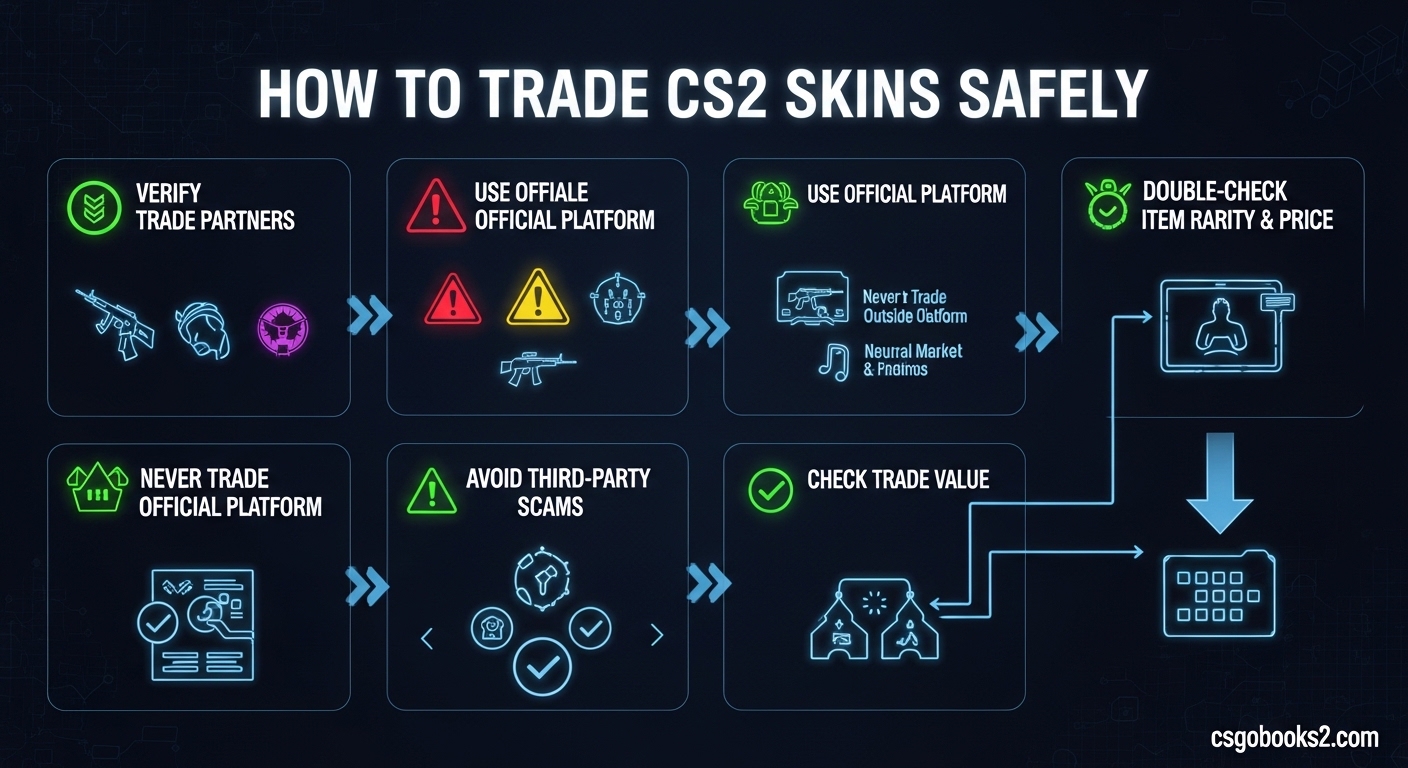
Learning how to trade CS2 skins safely is essential knowledge for any Counter-Strike 2 player. Skins can be worth anywhere from a few cents to thousands of dollars, making them prime targets for scammers and hackers. I’ve spent years analyzing CS2 trading patterns, and I’ve seen countless players lose valuable items because they didn’t follow proper security protocols.
This guide will walk you through everything you need to know about protecting yourself while trading. Whether you’re looking to swap skins with friends, sell items on third-party marketplaces, or build your inventory through strategic trades, these safety principles apply to every transaction.
The CS2 skin economy has evolved significantly since the CS:GO days, with new security features and more sophisticated scams emerging regularly. By 2026, trading has become both safer in some ways and more dangerous in others. Understanding these nuances is critical for protecting your digital assets.
Account Security Setup: Your First Line of Defense
Before you can trade CS2 skins safely, you must secure your Steam account. This isn’t optional—it’s the foundation of safe trading. I’ve analyzed hundreds of scam reports, and compromised accounts are involved in over 80% of trading incidents.
Steam Guard Mobile Authenticator is non-negotiable for safe trading. Without it, you’ll face 15-day trade holds on every transaction, making you a target for scammers who prey on impatient traders. The authenticator also adds an extra layer of verification that prevents unauthorized access to your inventory.
To enable Steam Guard Mobile Authenticator: download the Steam mobile app, log in to your account, navigate to Steam Guard settings, and select “Get Authenticator Code” to set it up. The entire process takes about 10 minutes, and it’s the single most important security step you can take.
Your trade URL is another critical security component. This unique link allows others to send you trade offers, but it should never be shared publicly. I recommend keeping your trade URL private and only sharing it directly with trusted trading partners through secure channels.
Inventory privacy settings matter more than most traders realize. While your inventory must be set to “Public” for trading to work, you should avoid displaying your exact item counts and valuable items in your profile showcase. Scammers often target accounts with visible high-value inventories.
Understanding Trade Holds and Restrictions
Trade holds are security measures implemented by Valve to prevent fraud and give account owners time to detect unauthorized activity. A standard trade hold lasts 15 days but can be reduced to instant confirmation with proper account security setup.
The Mobile Authenticator is the key to eliminating trade holds. Once you’ve had the authenticator enabled for at least 7 days and confirmed all trades through it for at least 7 days, your trades will be instant. This 14-day waiting period is a small price to pay for permanent trading freedom.
New accounts face additional restrictions. If your Steam account is less than 30 days old or has recent payment activity, you may experience extended holds regardless of authenticator status. These restrictions gradually lift as your account ages and builds trading history.
CS2 introduced trade protection features that add new security layers. These include trade confirmation through the mobile app and enhanced fraud detection. Understanding these features helps you trade CS2 skins safely while avoiding unnecessary delays.
Account flags can trigger extended holds automatically. If Steam detects suspicious activity—such as logging in from a new location or changing your password frequently—you may experience temporary restrictions. These security measures protect your inventory even when they inconvenience you.
Trading Platforms: Which Are Safest?
The platform you choose dramatically impacts your safety when trading CS2 skins. Each option has distinct advantages and risks that every trader should understand before making transactions.
Steam Community Market is the safest option for most traders. As Valve’s official marketplace, it eliminates counterparty risk completely. You trade directly with Steam, not other players, which means scams are virtually impossible. The downside is higher fees (15% per transaction) and the inability to cash out to real money.
Third-party marketplaces like CSFloat and Skinport offer lower fees and cash-out options. These platforms act as intermediaries, holding items in escrow until both parties fulfill their obligations. When selecting a marketplace, verify its reputation through Trustpilot reviews, community feedback on Reddit, and transaction history. Established platforms with years of operation are significantly safer than new sites.
Trading bots on sites like Tradeit and SkinsMonkey provide instant trading at the cost of fees. These automated systems offer speed and convenience but typically charge 2-8% per transaction. The trade-off is worth it for many traders who value time over maximum profit. Bot trading eliminates human error and scam risk, making it one of the safest ways to trade CS2 skins quickly.
Peer-to-peer trading through Steam direct trades is the riskiest option. While it eliminates platform fees, it exposes you to every scam type imaginable. I only recommend direct trading with people you know personally or have verified through trusted community channels. The convenience of zero fees isn’t worth the risk of losing your inventory.
How to Trade CS2 Skins Safely: Step-by-Step Process?
Following a consistent verification process before every trade will protect you from the vast majority of scams. I’ve developed this checklist through years of trading experience and analysis of scam reports.
Step 1: Verify the trader’s reputation. Check their Steam profile for account age, previous bans, and trade history. Use Steamrep to see if they’ve been reported for scams. New accounts with private profiles and minimal activity are major red flags.
Step 2: Confirm item values independently. Never trust the other party’s valuation. Check multiple pricing sources like CSFloat, Buff163, and Steam Market to verify current market prices. Scammers often inflate the value of their items while deflating yours.
Step 3: Use a trusted platform for the transaction. Even when trading with someone you know, I recommend using an established marketplace rather than direct trades. The small fee is insurance against losing everything.
Step 4: Review the trade offer meticulously before accepting. Check every item—name, condition (float value), stickers, and any special features. Scammers often substitute similar-looking items with lower value at the last moment.
Step 5: Confirm through the Mobile Authenticator. This final step adds another layer of security and completes the trade safely. Never bypass this confirmation, even if the other party claims it’s unnecessary.
Step 6: Verify the completed trade in your trade history. Both parties should confirm that the items transferred correctly before ending the conversation. This final verification catches any errors immediately.
Common Scams and How to Avoid Them
Scammers continuously evolve their tactics, but most schemes fall into recognizable categories. Understanding these patterns is your best defense. I’ve tracked scam trends across CS2 trading communities, and these are the most prevalent threats in 2026.
API scams are the most sophisticated and dangerous threat. Scammers create fake trading websites that look identical to legitimate platforms. When you attempt to “log in” through Steam, you’re actually granting the scammer full access to your inventory through your API key. Once they have API access, they can drain your account instantly. Never enter your Steam credentials on any site except steamcommunity.com. Legitimate trading sites will redirect you to the official Steam login page.
Phishing attacks have become increasingly realistic. Scammers send messages containing links to fake Steam login pages or trading sites. These pages look authentic but steal your credentials when you attempt to log in. Always verify the URL carefully before entering any information. Legitimate Steam URLs always begin with https://steamcommunity.com. Anything else is a phishing attempt.
Impersonation scams target community trust. Scammers copy the profile pictures, names, and backgrounds of reputable traders, moderators, or platform administrators. They then approach victims claiming to offer special deals or requiring verification. Never trade with someone claiming to be an administrator requiring verification—real admins never need access to your inventory. Always verify identity through multiple channels before trading.
Fake middleman scams exploit the legitimate practice of using neutral third parties for high-value trades. The scammer poses as a trusted middleman or convinces you to use their “friend” as the middleman. Once you hand over items, both the scammer and fake middleman disappear. Only use middlemen from reputable communities with verified reputation systems.
Switch and bait scams rely on distraction and speed. The scammer initiates a trade with the correct items, then cancels and quickly sends a new offer with substituted lower-value items. They may claim it was a mistake or pressure you to accept quickly. Always review every trade offer from scratch, even if it looks identical to a previous offer.
Chargeback scams occur when trading skins for real money through payment services like PayPal. The buyer receives the items, then files a chargeback claim with their payment provider, reversing the transaction. You lose both the items and the money. Never accept PayPal payments from strangers—use established marketplaces that handle the transaction securely.
Fake streaming scams involve someone claiming to be a popular streamer who will feature your items on stream in exchange for a “donation.” These are always scams. Legitimate streamers don’t ask for item donations in this manner.
Red flags should trigger immediate caution: urgency, deals too good to be true, new accounts with expensive inventories, refusal to use trusted platforms, requests for API keys or login credentials, and pressure to act quickly. When you see these warning signs, step back and verify everything.
What to Do If You Get Scammed?
Despite all precautions, scams can still happen to even experienced traders. Knowing how to respond quickly can minimize the damage and potentially recover your items. I’ve helped many traders through this process, and prompt action is critical.
Immediately secure your account if you suspect any compromise. Change your Steam password and enable Steam Guard if it wasn’t already active. Revoke all API keys in your Steam settings to terminate any unauthorized access. Scan your computer for malware that may have captured your credentials.
Report the scammer through Steam’s reporting system. Navigate to their profile, select “More” and then “Report Player,” and choose “Suspected Cheater” or “Scamming.” Include detailed information about the transaction, including chat logs and trade offer screenshots. This helps Valve identify repeat offenders.
Contact Steam Support immediately through a support ticket. Provide all relevant information, including the scammer’s Steam ID, trade offer numbers, and any communication evidence. While Steam rarely reverses trades, documenting the incident is essential for future reference and may help in rare recovery cases.
Report the incident to the trading platform if applicable. Marketplaces like CSFloat and Skinport have scam reporting systems and may ban the scammer from their platform. This prevents others from falling victim to the same person.
Document everything for your records. Save screenshots of all conversations, trade offers, and the scammer’s profile. This documentation is crucial if you pursue the matter through Steam Support or community channels. It also helps identify patterns if the scammer has victimized others.
Share your experience with the community. Posting about scams on forums like r/cs2 and Steam Community discussions helps warn others. However, avoid posting personal information or engaging in witch hunts—stick to the facts and the scammer’s publicly available Steam profile.
Learn from the experience and strengthen your security. Review where your process failed and implement additional safeguards. Every trader makes mistakes, but the key is learning from them to prevent future incidents.
Best Practices for Safe Trading
Implementing consistent habits protects you across all trading scenarios. These best practices come from analyzing thousands of successful trades and identifying what safe traders do differently.
Check reputation before every transaction. Use Steamrep, trading forums, and community feedback to verify the other party’s trustworthiness. A clean reputation history doesn’t guarantee safety, but a history of reports is a definitive warning sign.
Verify item values independently before every trade. Prices fluctuate daily, and values can vary significantly between platforms. Check multiple sources to ensure you’re getting fair value. This simple step prevents the vast majority of bad trades.
Start small when trading with new partners. Begin with low-value items to build trust before attempting larger transactions. If someone refuses small trades but pushes for big ones, they’re likely scamming.
Use established platforms for most transactions. The small fee is worth the security and convenience. Direct trades should be reserved for people you know personally or have verified extensively.
Keep detailed records of your trades. Save confirmation emails, take screenshots of completed trades, and maintain a spreadsheet of your transactions. This documentation is invaluable if disputes arise.
Never share sensitive information. Your API key, login credentials, and recovery codes should never be shared with anyone. Legitimate platforms and traders never need this information.
Trust your instincts. If something feels wrong, it probably is. The few extra minutes spent verifying a trade are worth avoiding the loss of valuable items.
Frequently Asked Questions
How to safely trade skins in CS2?
Safely trading CS2 skins requires Steam Guard Mobile Authenticator, using reputable platforms, verifying trader reputation, and checking item values independently. Never share your API key or login credentials, and always review trade offers carefully before accepting.
Where is the safest place to trade CS2 skins?
Steam Community Market is the safest option because it eliminates counterparty risk entirely. For third-party options, established marketplaces like CSFloat and Skinport with strong reputations, transparent fee structures, and escrow systems are the safest choices.
How to safely buy CS2 skins?
Buy CS2 skins safely by using the Steam Community Market or established third-party marketplaces with escrow services. Never deal directly with strangers, verify the seller’s reputation, and use payment methods that offer buyer protection. Avoid deals that seem too good to be true.
How to keep CS2 skins safe?
Keep CS2 skins safe by enabling Steam Guard Mobile Authenticator, setting your inventory to private when not trading, never sharing your trade URL publicly, using strong unique passwords, and avoiding phishing links. Regularly revoke unused API keys and monitor your trade history.
How long is CS2 trade hold?
CS2 trade hold is 15 days for accounts without Steam Guard Mobile Authenticator. With the authenticator enabled for at least 7 days and all trades confirmed through it for 7 days, trades become instant. New accounts or accounts with recent security changes may experience extended holds.
Conclusion: Protect Your Inventory While Trading
Learning how to trade CS2 skins safely is an ongoing process that requires vigilance and consistent security practices. The CS2 skin economy offers exciting opportunities for collectors and traders, but it also attracts sophisticated scammers looking to exploit careless players.
The foundation of safe trading is proper account security. Steam Guard Mobile Authenticator is non-negotiable, as is understanding trade holds and restrictions. Choose your trading platforms wisely, favoring established marketplaces over risky peer-to-peer transactions.
Before every trade, verify the other party’s reputation and independently confirm item values. Follow the step-by-step verification process without cutting corners, and learn to recognize common scam patterns before they can trap you.
If you do fall victim to a scam, act quickly to secure your account and document the incident. Every trader makes mistakes, but learning from them strengthens your future security.
The CS2 trading landscape will continue evolving through 2026 and beyond. Stay informed about new security features and scam techniques by following community discussions and official Steam updates. Your inventory represents significant value—protect it with the same care you’d give to any valuable asset.