
If you’ve been trading or buying skins in Counter-Strike 2, you’ve probably noticed that two skins with the same name can look completely different. That’s because of CS2 skin wear levels, a system that determines how worn or pristine a weapon skin appears. Understanding these wear levels is essential for making smart trades, evaluating skin values, and knowing exactly what you’re buying before you spend your money.
In this guide, I’ll explain what float values are, break down all five CS2 skin wear levels with their exact float ranges, show you how to check any skin’s wear value, and help you understand which wear levels offer the best value for your budget.
What is CS2 Float Value?
Float value is a permanent decimal number between 0.00 and 1.00 that determines how worn a CS2 skin appears. When you unbox a skin or receive one from a drop, the game assigns it a random float value that never changes, no matter how much you use that skin in matches.
The float scale works like this: 0.00 represents a brand-new, pristine condition, while 1.00 represents the most heavily worn possible state. This decimal determines which of the five wear tiers your skin falls into, but the exact float within that range also matters. Two Field-Tested skins can look very different if one has a float of 0.16 and another has 0.35.
Many players mistakenly believe that using a skin increases its wear over time. This is completely false. Your float value is locked in the moment the skin enters your inventory and will remain exactly the same forever, regardless of how many matches you play with it equipped.
CS2 Skin Wear Levels and Float Ranges 2026
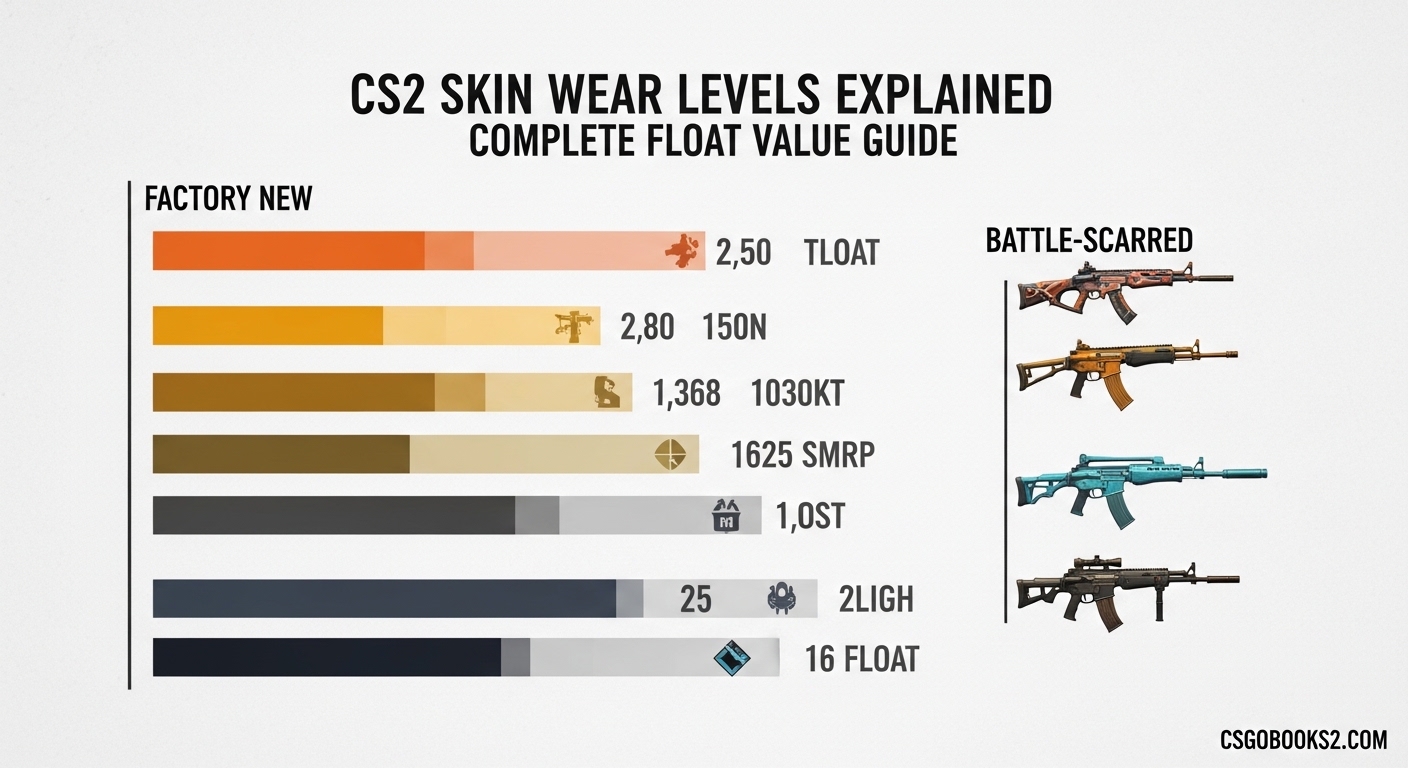
CS2 skins are divided into five exterior quality tiers, each with its own float range. These wear levels determine both the visual appearance and market value of your weapon skins. Here’s the complete breakdown of all CS2 skin wear levels:
| Wear Level | Float Range | Visual Appearance |
|---|---|---|
| Factory New (FN) | 0.00 – 0.07 | Pristine condition, minimal to no wear visible |
| Minimal Wear (MW) | 0.07 – 0.15 | Slight edge wear, nearly perfect appearance |
| Field-Tested (FT) | 0.15 – 0.37 | Noticeable scratches and wear, but still looks good |
| Well-Worn (WW) | 0.37 – 0.44 | Clear wear patterns, significant paint fading |
| Battle-Scarred (BS) | 0.44 – 1.00 | Heavily worn, large scratches, heavily faded |
Understanding these ranges helps you evaluate skins accurately. A skin at the very bottom of its float range (like 0.151 FT) will look significantly better than one at the top (like 0.369 FT), even though both are technically Field-Tested.
Factory New (FN): 0.00-0.07 Float Range
Factory New represents the highest quality tier for CS2 skins, with float values from 0.00 to 0.07. These skins appear pristine and virtually unworn, with glossy finishes intact and minimal visible imperfections. Factory New skins command the highest market prices because collectors and players prefer the cleanest possible appearance.
However, the difference between 0.00 and 0.07 can be noticeable on certain skins. Some Factory New skins at the higher end of the range (0.06-0.07) may show tiny imperfections that aren’t visible on perfect 0.00 floats. For most players though, any Factory New skin looks excellent and holds its value well over time.
Minimal Wear (MW): 0.07-0.15 Float Range
Minimal Wear skins (0.07-0.15) offer the best balance between appearance and price for most players. These skins show slight edge wear and minor abrasions, but still maintain nearly perfect overall appearance. The difference between a clean Minimal Wear and Factory New skin is often barely noticeable in actual gameplay.
Many experienced traders prefer Minimal Wear over Factory New because you get 90% of the visual quality for 50-70% of the price. The smart money often goes on low-float Minimal Wear skins (0.07-0.09) that look almost identical to Factory New but cost significantly less.
Field-Tested (FT): 0.15-0.37 Float Range
Field-Tested skins (0.15-0.37) are the everyday choice for most CS2 players. This wear tier shows noticeable scratches, edge wear, and paint fading, but many skins still look great in this range. The key with Field-Tested is understanding that 0.16 looks much better than 0.35, even though both are FT.
This is where float value really matters. A low-float Field-Tested skin can look nearly as good as Minimal Wear, while a high-float FT might look closer to Well-Worn. Always inspect individual skins before buying at this tier, because the visual difference within the FT range is dramatic.
Well-Worn (WW): 0.37-0.44 Float Range
Well-Worn skins (0.37-0.44) display clear wear patterns, significant paint fading, and obvious scratches. At this tier, the original design of the skin is still recognizable but heavily affected by the wear texture. Many players avoid Well-Worn for expensive skins, but it can be a budget-friendly option for cheaper items where appearance matters less.
The Well-Worn range is relatively narrow compared to other tiers, so there’s less variation between individual WW skins. However, some specific skins actually look better in Well-Worn because the wear patterns create unique visual effects that aren’t present on cleaner floats.
Battle-Scarred (BS): 0.44-1.00 Float Range
Battle-Scarred skins (0.44-1.00) show the heaviest wear, with large scratches, heavily faded paint, and significant damage to the original design. Most Battle-Scarred skins look rough, but this is also where some of the most interesting pattern exceptions exist.
Certain rare patterns like Case Hardened, Marble Fade, and Doppler can actually become more valuable at higher floats because the wear reveals unique pattern variations that aren’t visible on cleaner skins. These exceptions are rare, but they make Battle-Scarred worth considering for collectors who know what to look for.
How to Check Float Value in CS2?
Checking your skin’s exact float value is straightforward once you know how. Here are the three methods I use most often:
Method 1: In-Game Inspection (Most Reliable)
Start a bot match or join any server and open your inventory. Right-click the skin you want to check and select “Inspect.” A window will appear showing your skin with all its details. However, the in-game inspection doesn’t display the exact float value by default, which is why most players use external tools.
Method 2: Use an Inspect Link
Copy the inspect link from your inventory and paste it into a float checker website. The most trusted option in the community is CSFloat, which provides accurate float values, pattern indices, and other useful information. Simply paste your inspect link and the site will display your exact float value within seconds.
Method 3: Browser Extensions
Several browser extensions automatically show float values when browsing CS2 skin marketplaces. These tools overlay float information directly onto listing pages, making it easy to compare options without leaving the site. Popular options include CS.Money Extension and CSGOFloat Extension, both of which are widely trusted by traders.
Float vs Price: What Really Matters
The relationship between float value and price isn’t always straightforward. Generally, lower float means higher price, but several factors can complicate this rule. Rarity, pattern, and demand often matter more than float alone.
For common skins, the price difference between Factory New and Battle-Scarred might be 2-3x. But for rare knives and gloves, that difference can be 10x or more. Meanwhile, some specific skins have pricing quirks where Minimal Wear costs more than Factory New due to supply and demand patterns.
Pattern exceptions are particularly important. A low-float Factory New skin with a common pattern might be worth less than a higher-float skin with a rare pattern. This is especially true for knives and gloves, where pattern variations can double or triple the value regardless of wear level.
Common Float Myths Debunked
After spending years in CS2 trading communities, I’ve noticed several misconceptions about float values that keep circulating. Let me clear up the most common ones:
Myth: Using a skin increases its float value. This is completely false. Your float value is permanent and never changes, no matter how many matches you play with that skin equipped. The wear you see on your skin today is exactly the same wear you’ll see five years from now.
Myth: Factory New is always the best investment. Not necessarily. Many Minimal Wear skins offer virtually identical appearance at significantly lower prices. For trading and investment purposes, sometimes low-float Minimal Wear provides better return potential than Factory New.
Myth: Higher float always means worse appearance. Some skins actually look better with more wear. Custom paint jobs can develop unique character at higher floats, and certain patterns become more interesting as wear increases. Always judge appearance individually rather than assuming lower float is always better.
Buying Tips for Each Wear Level
Here are my recommendations for purchasing skins at each wear level based on years of trading experience:
Factory New: Buy for investment pieces and your absolute favorite skins. The premium is worth it for items you plan to keep long-term or rare collectibles where condition matters most.
Minimal Wear: The sweet spot for most players. Look for floats under 0.09 for near-Factory New appearance at a significant discount. This tier offers the best value-to-quality ratio for 90% of skins.
Field-Tested: Always inspect before buying. A 0.16 FT skin can look fantastic, while 0.35 FT might disappoint. Never buy Field-Tested sight unseen unless the price is too good to pass up.
Well-Worn: Consider only for budget purchases or specific skins where wear patterns look good. Avoid Well-Worn for expensive items unless you’re hunting a specific pattern.
Battle-Scarred: Mostly for pattern hunting or extreme budget buys. Some of the most valuable patterns in the game exist only at high floats, so Battle-Scarred can be worth it for collectors who know what they’re looking for.
Frequently Asked Questions
What are the skins wear levels in CS2?
CS2 has five skin wear levels: Factory New (0.00-0.07), Minimal Wear (0.07-0.15), Field-Tested (0.15-0.37), Well-Worn (0.37-0.44), and Battle-Scarred (0.44-1.00). Each represents a different float value range that affects how worn the skin appears.
What is a good wear rating for CS2?
Minimal Wear (0.07-0.15) offers the best balance of appearance and value for most players. Factory New is ideal for investment pieces and favorites, while Field-Tested works well for everyday use if you find a low float. Avoid Well-Worn and Battle-Scarred unless you’re specifically hunting rare patterns.
What are the levels of skins in CS2?
CS2 skins have five exterior quality levels based on float value: Factory New (pristine), Minimal Wear (nearly perfect), Field-Tested (noticeable wear), Well-Worn (clear wear patterns), and Battle-Scarred (heavily worn). The float value is assigned when unboxed and never changes.
How does CS2 skin wear work?
Every CS2 skin has a float value between 0.00 and 1.00 assigned when created. This permanent decimal determines which of the five wear tiers the skin falls into and how worn it appears visually. The float never changes regardless of use, so your skin’s condition stays exactly the same forever.
Does CS2 skin wear increase with use?
No, CS2 skin wear never increases with use. The float value is permanently locked when the skin is unboxed or received. You can play thousands of matches with a Factory New skin and it will remain Factory New forever. Wear only changes if you trade for a different skin with a different float value.
Conclusion
Understanding CS2 skin wear levels explained gives you a significant advantage when trading, buying, or selling skins. The float value system is permanent, transparent, and once you understand the five wear tiers, you can make much smarter decisions about which skins are worth your money.
Remember that float is just one factor alongside pattern, rarity, and demand. Use the inspect function liberally, check float values before making purchases, and don’t be afraid to ask experienced traders for advice on specific skins. With practice, you’ll develop an eye for which floats look best on your favorite skins.